Best Alarm Apps for Heavy Sleepers Who Sleep Through Everything
Some people wake to a single beep. You are not one of them. You can stack alarms, move the phone out of reach, and still surface at 9:40 with a dismissed notification you have no memory of touching. Being a heavy sleeper isn't a character flaw — it's a mismatch between how deeply you sleep and how weakly most alarms are built.
Fixing it isn't about trying harder. It's about picking an alarm that's louder than the sound your brain has learned to ignore, that stays unfamiliar enough to keep working, and that never quietly fails to fire. This guide is the hub for everything we've written on the subject: why alarms stop working, which features genuinely help, and the best alarm apps for heavy sleepers in 2026 — with each one's strengths and blind spots.
Why heavy sleepers sleep through alarms
It comes down to two things working against you.
1. Your brain tunes out familiar sounds
This is called habituation. The first week, a new ringtone jolts you awake. By week three, your sleeping brain has filed it under "not a threat" and stops triggering a full wake-up. The sound is still playing — you just don't surface for it. We go deeper into the mechanics in why you sleep through your alarm.
Example: You've used the default "Radar" tone for a year. You swear it's gotten quieter. It hasn't. Your brain has simply learned to sleep through it. Switch to a song you've never used as an alarm and you'll likely pop awake the first morning — proof it's novelty, not volume, doing the work. (If you're choosing that replacement, start with the best alarm sound for heavy sleepers.)
2. Standard alarms are quiet and easy to kill
Most phone alarms cap out at the system volume and play a single looping tone. Half-asleep, you can silence that in one tap and never remember it. And music or streaming alarms have a worse failure mode: they go silent when there's no connection — the usual reason a Spotify alarm doesn't go off — or when the app falls back to a default tone that never actually rings. (Contrary to the myth, the iPhone alarm does go off on Do Not Disturb; it's third-party audio that tends to break.)
What actually wakes a heavy sleeper
When you're comparing apps, these are the features that move the needle — roughly in order of impact.
Above-system loudness
A good heavy-sleeper alarm can push past your phone's normal volume ceiling. If an app can only be "as loud as your ringer," it won't help much — see how above-system-volume alarms work.
A sound that changes
Rotation beats repetition. An alarm that plays a different sound — or lets you set any song as your alarm on iPhone and swap it every few days — keeps your brain from habituating. The most novel sound of all is your own recorded voice, which is very hard to sleep through.
Reliability: it rings on silent and offline
This is the one people forget until it burns them. An alarm that depends on a live internet connection or that respects silent/Do Not Disturb mode will eventually fail on the morning it matters most. Before you trust an app, read what it takes to get an alarm that rings on silent on iPhone and run the 30-second test there.
Example: A nurse sets a Spotify-based alarm for a 5am shift. Overnight the app loses connection, the alarm "plays" a track that never loads, and she wakes at 6:40 to a silent phone. That's not rare — it's the single most common complaint about music alarms.
Getting you out of bed
Some apps make you scan a barcode, solve a math problem, or shake the phone to dismiss the alarm. For people who snooze on autopilot, that physical step can be the difference between up and back-asleep — more tactics in the alarm that makes you get out of bed. The cheapest version of friction is free: it's simply where you put your phone at night.
A sound you actually like
You're more likely to respond to a sound you chose — your hype song, a specific drop, even your own recorded voice — than to a generic beep you resent.
The best alarm apps for heavy sleepers in 2026
No app wins for everyone. Match the app to your failure mode.
AlarmiFex — best for waking to your own music, reliably
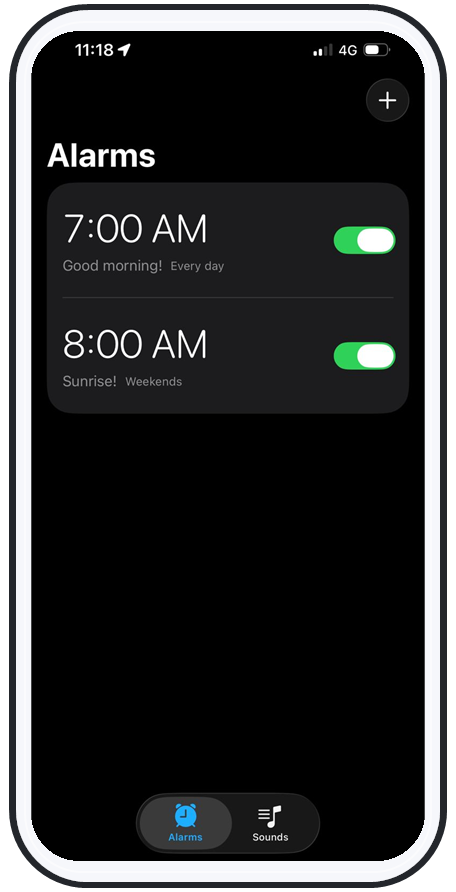
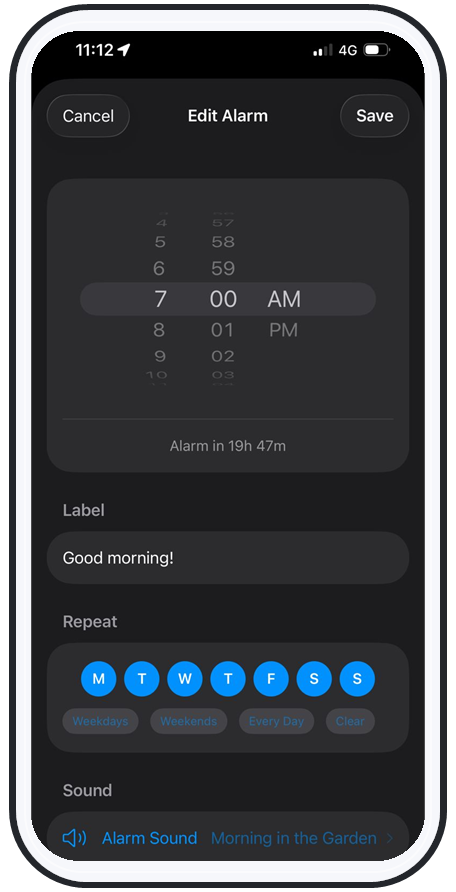
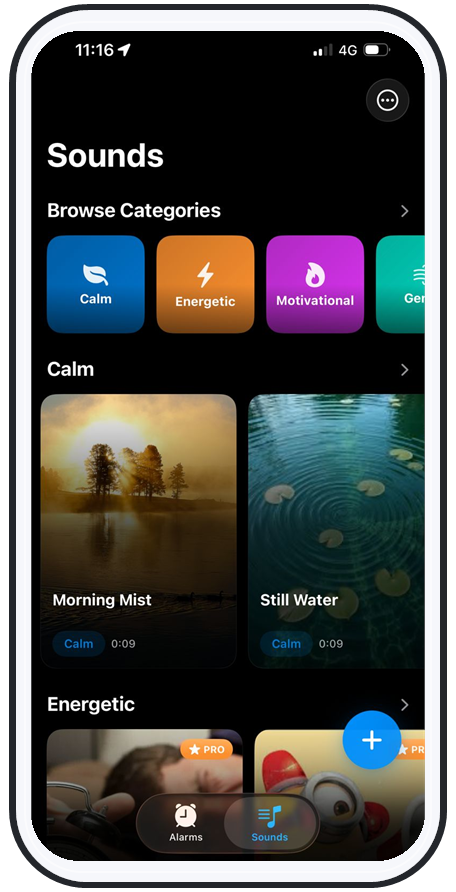
AlarmiFex is built around the reliability problem. You wake to any song or your own recorded voice, trimmed to the exact part you want, and it can play above your phone's system volume for heavy sleepers. Crucially, it downloads your sounds for offline playback and schedules alarms through Apple's AlarmKit, so it rings on silent, on Do Not Disturb / Focus, on the lock screen, and with no signal — the exact place other music alarms fail. You can also rotate fresh sounds to beat habituation.
Best for: people who want to wake to music or their own voice and have been burned by a streaming alarm that didn't go off. Note: iPhone only.
Alarmy — best for being forced out of bed
Alarmy made its name as the "annoying" alarm: dismiss it by solving math, scanning a barcode (like your bathroom sink or coffee machine), or taking steps. If your real problem is snoozing on autopilot, the missions help. It leans on tasks more than sound personalization — if that's the trade-off you're weighing, compare the apps like Alarmy side by side.
Best for: chronic snoozers who need a physical task to wake up.
Wakey — best free mission alarm
Wakey is frequently recommended as a free, no-subscription mission/challenge alarm. If you want the "do a task to turn it off" approach without paying, it's a common starting point — and our roundup of the best free alarm app for heavy sleepers covers what "free" actually gets you.
Best for: people who want a free challenge-based alarm.
Sleep Cycle — best for waking in a lighter sleep phase
Sleep Cycle takes a different angle: it tracks your sleep and tries to wake you during a lighter phase within a window, so you feel less groggy. It's less about brute-force volume and more about timing.
Best for: people who wake up groggy and have a flexible wake window.
Your phone's stock Clock — with two tweaks
If you don't want another app yet, two changes help: set multiple staggered alarms with different tones (novelty), and put the phone far enough away that you have to stand up. It's a band-aid, not a fix — the stock app still can't exceed system volume or guarantee a non-repeating sound — but it's free and immediate.
Best for: a quick test before you commit to an app.
How to set up your alarm so you actually get up
Whatever app you pick, this setup gives you the best odds:
- Pick a sound you don't normally hear. A specific song or your own voice beats a default tone.
- Turn it up past your ringer if the app allows above-system volume.
- Make sure it works offline and on silent. Test it once in airplane mode with the phone on silent — if it doesn't ring, that app will fail you eventually.
- Change the sound every week or two to stop your brain from tuning it out.
- Add friction — phone across the room, or an app that makes you complete a task to dismiss it.
Example setup for a 5am shift: a hype song trimmed to the drop, set above system volume, downloaded for offline playback so it rings even with no signal, swapped for a new song every Sunday. That covers volume, novelty, and reliability in one go — and it's the backbone of our guide on how to never oversleep for work or a shift.
If the heavy sleeper in question isn't you, the job is different: you're building a wake-up for someone else. How to wake up a heavy sleeper walks through the methods that work when the alarm alone isn't enough.
Frequently asked questions
Why do heavy sleepers sleep through their alarm?
Because the brain habituates to a familiar daily sound and stops treating it as a reason to wake, and because standard alarms are quiet and easy to silence half-asleep. A louder, changing, reliable alarm fixes both.
What is the best alarm app for heavy sleepers?
It depends on your problem. For waking to your own music or voice and needing it to ring on silent and offline, AlarmiFex is purpose-built. For task-based "force me up" alarms, Alarmy or the free Wakey are strong. For gentler, better-timed wake-ups, Sleep Cycle.
Are louder alarms actually better?
Loudness helps, but novelty matters just as much. A loud sound you hear every day still fades over time. Combine above-system volume with a sound that rotates or that you chose yourself.
Will a music alarm still go off on silent or with no internet?
Only if it's designed to. Many streaming alarms fail without a connection or on Do Not Disturb. AlarmiFex downloads sounds for offline playback and uses Apple's AlarmKit, so it rings on silent, on Focus, and offline.
The bottom line
If you sleep through everything, stop blaming yourself and start blaming the alarm. You need three things: enough volume, a sound that stays surprising, and a guarantee that it'll actually ring. Match the app to your specific failure mode — willpower, grogginess, or (most often) an alarm that quietly didn't go off.
Next step: if your problem is a music alarm that's let you down, try AlarmiFex on the App Store — wake to any song or your own voice, extra loud, even on silent, even offline.
Try an alarm that actually goes off
AlarmiFex wakes you to any song or your own voice — extra loud, even on silent, even offline.
Download on the App Store